
CP2102 – USB Driver (Install and Configuration)
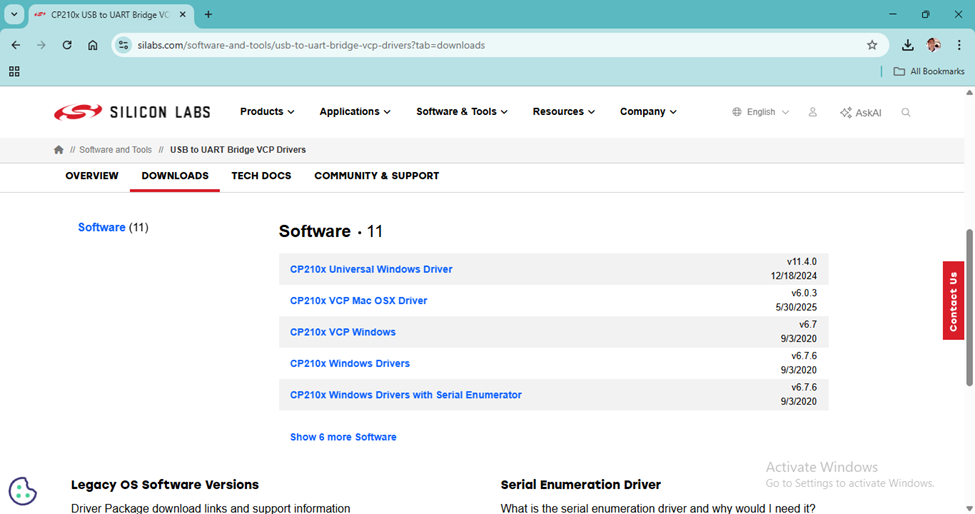
Step-1: Download
Visit the Silicon Labs website (https://www.silabs.com/software-and-tools/usb-to-uart-bridge-vcp-drivers?tab=downloads) and download the USB driver for your OS.”
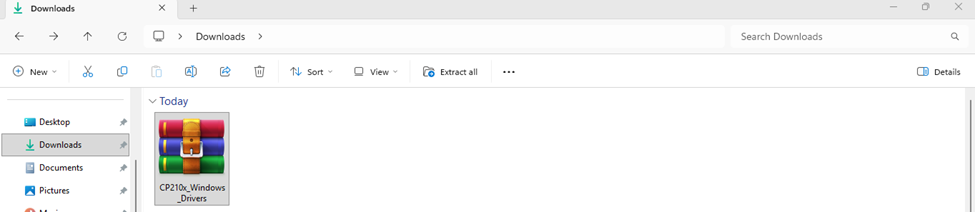
Step-2: Search Download Folder
Once the download is complete, you’ll find this folder in your Downloads folder.
Step-3: Extract
Now extract the downloaded folder.

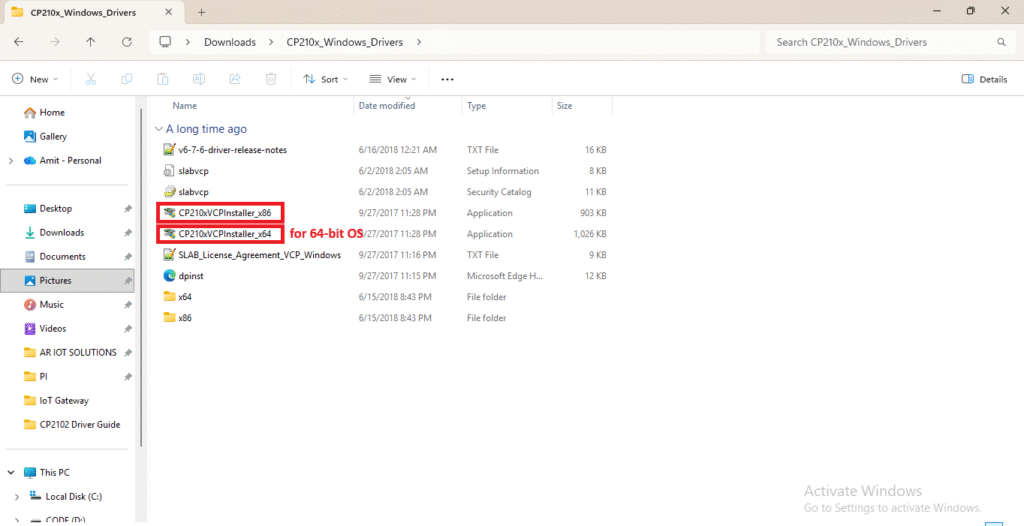
Step-4: Install
Click on the application to install it according to your Windows OS.
Win-32 OS : For Win-32 OS click on CP210xVCPInstaller_x86
Win-64 OS : For Win-64 OS click on CP210xVCPInstaller_x64
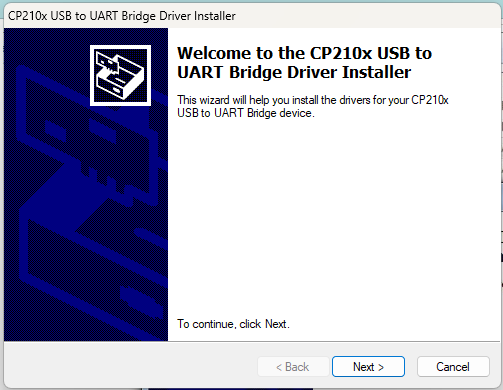
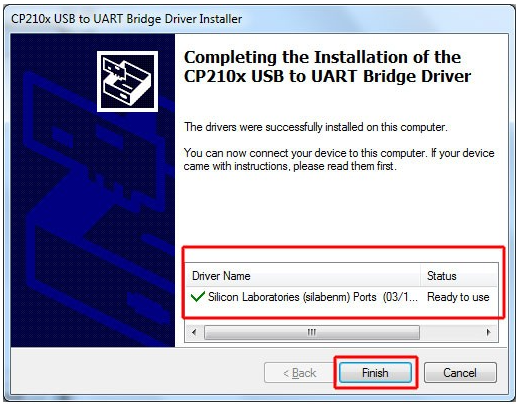
Step-5: Connect Hardware to PC’s USB Port & Check
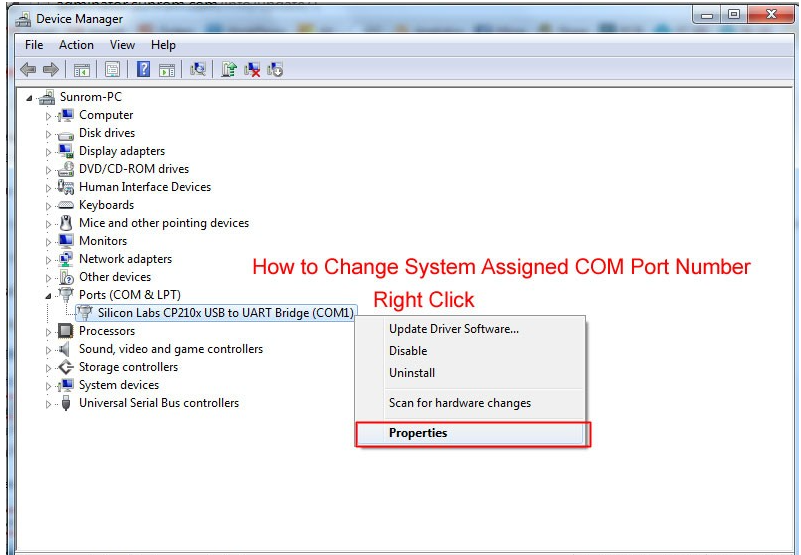
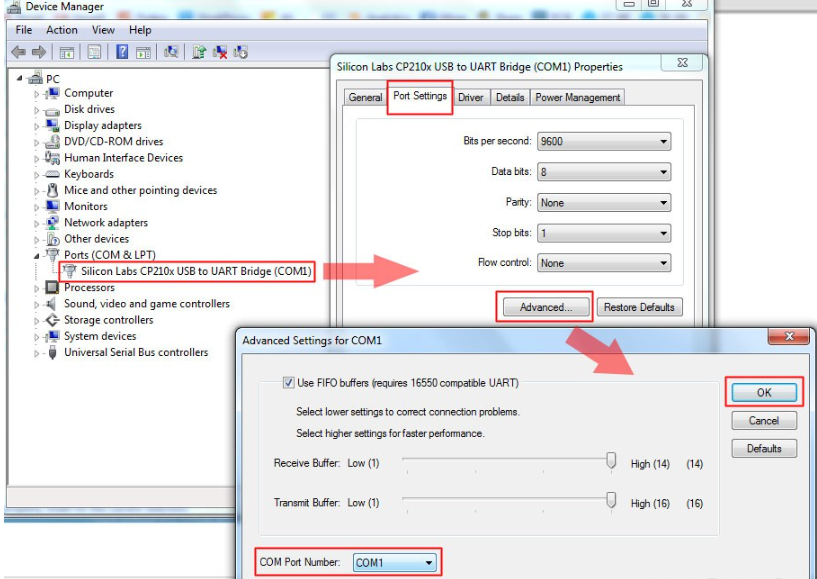
Congratulations! You have successfully installed the CP2102 driver. Enjoy!